Review: Jabbrrbox Pod Austin Bergstrom International Airport (AUS)
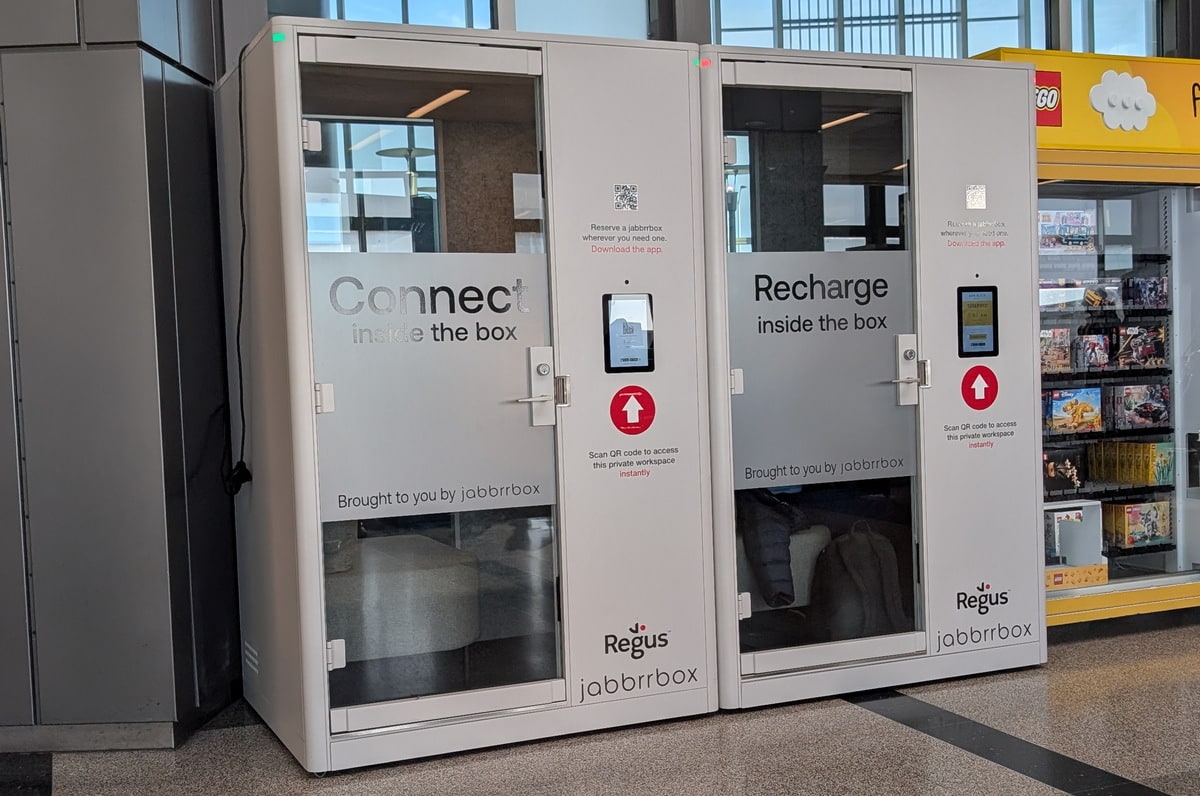
During a recent trip, I took some time to do a review of the Jabbrrbox pod at Austin Bergstrom Airport (AUS). These workspaces (pods) are self-contained privacy rooms where you can work or relax and escape the craziness of the terminal.
Location and Access
For my review, I choose the location BJT-2, which is across from gates 15 and 16 (which is pretty much in the center of the terminal). There are currently six Jabbrrbox pods at the Austin Airport (AUS), which are nicely spread out throughout the terminal.
To access the Jabbrrbox, you can use their mobile app or scan the QR code on the screen outside the pod. There was a mention of Priority Pass, but that did not work for me when I tried using my membership card that included access according to the Priority Pass website. Since I already had the mobile app installed, I decided to use the app to scan the QR code on the pod to get started. I selected the minimum time of 60 minutes and paid. I then received a text message with a six-digit access code, which I entered into the screen, and the message showed Pull to Open. The entire process was simple and quick.
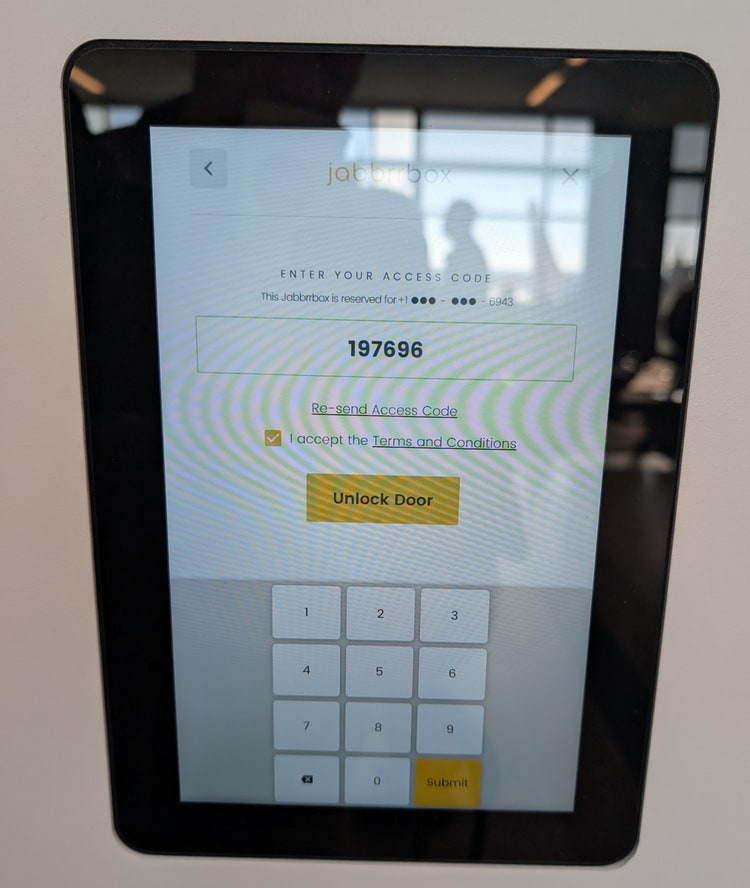
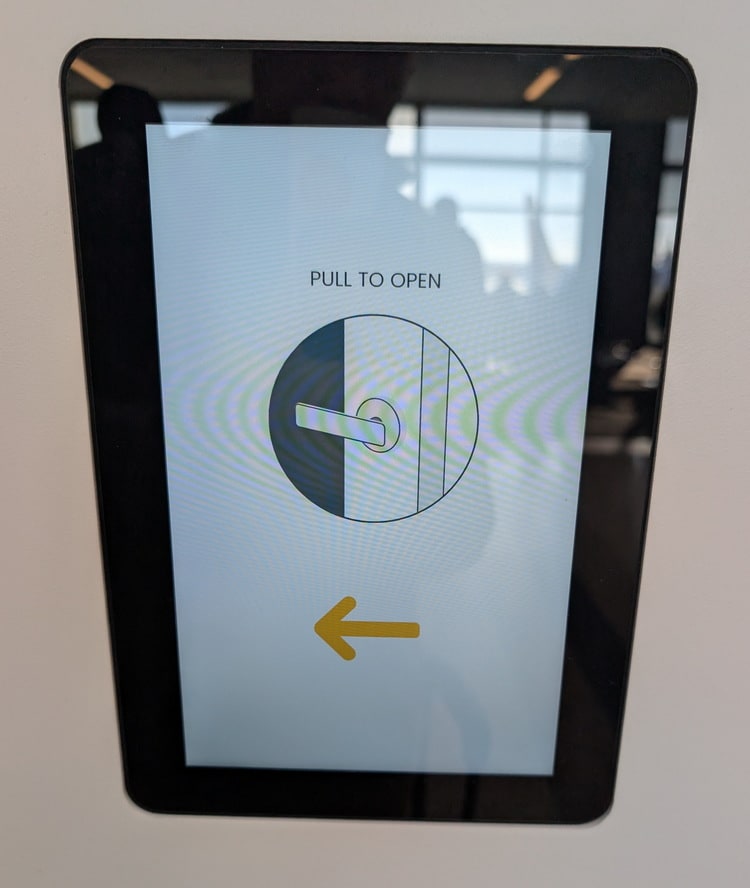
One nice thing is that you can leave the pod while your session is active to run to the restroom or grab a snack, and the door will remain locked; just use the same access code to unlock. I tested this when I was there, and it worked. I guess this could be used as expensive luggage storage, since AUS does not offer luggage storage.
Pricing
The pricing is based on length of time from 60 minutes to 300 minutes (5 hours). Current pricing is 60 minutes ($30), 90 minutes ($45), 120 minutes ($60), 150 minutes ($75), 180 minutes ($90), and 300 minutes ($100).
Amenities
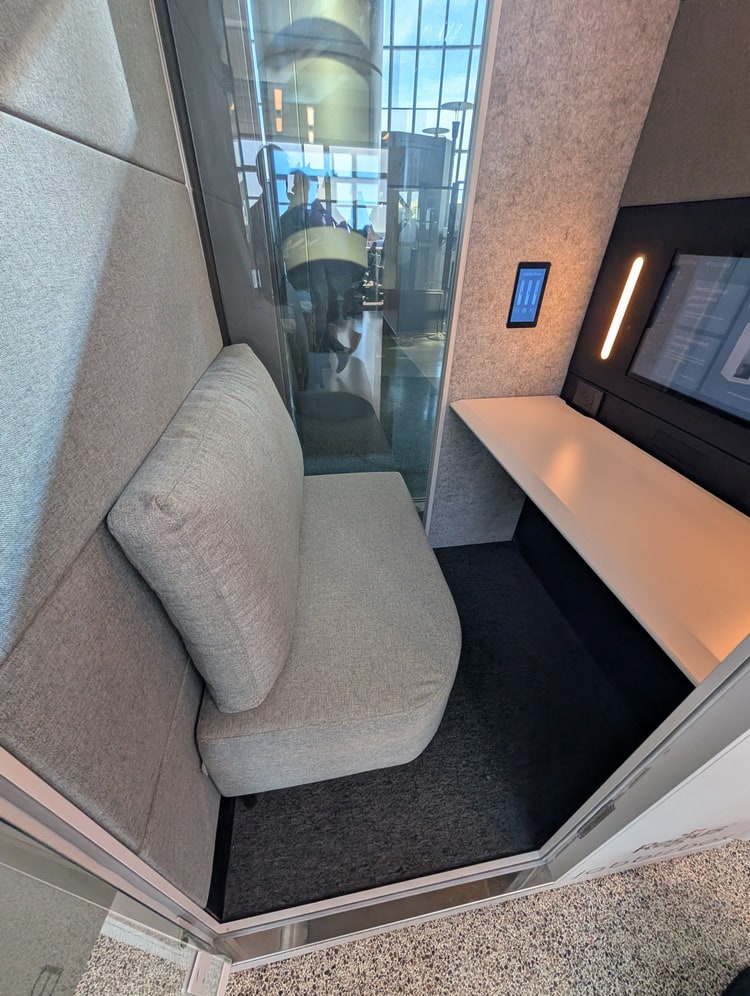
The pod has very limited amenities but provides a great place to relax or work in quiet. Inside was very clean, both on the floor and on the desk. When I arrived, all I had was a coffee, so I placed it on the desk while I got situated. The first thing I did was get my bag inside and close the door. There is limited room for luggage, but since I was alone, there was plenty near my feet under the desk, and there is some space under the seat for smaller things. Once I closed the door, the pod became quiet and peaceful.
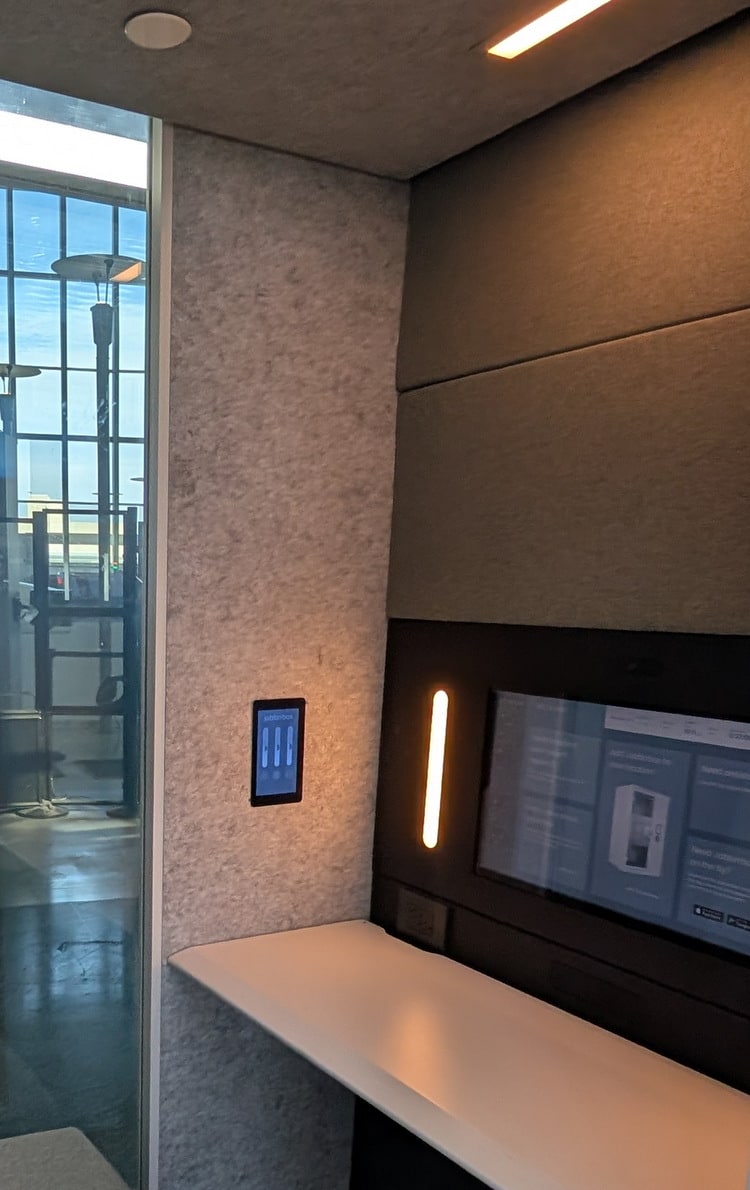
There is a touchscreen monitor located above the desk that offers many things, such as how to connect to Wi-Fi, flight status, remaining pod time, a photo booth feature to take selfies, and other things. While I was there, I used it to check the status of my flight to get connected to Wi-Fi. The screen also has a built-in camera and adjustable lighting.
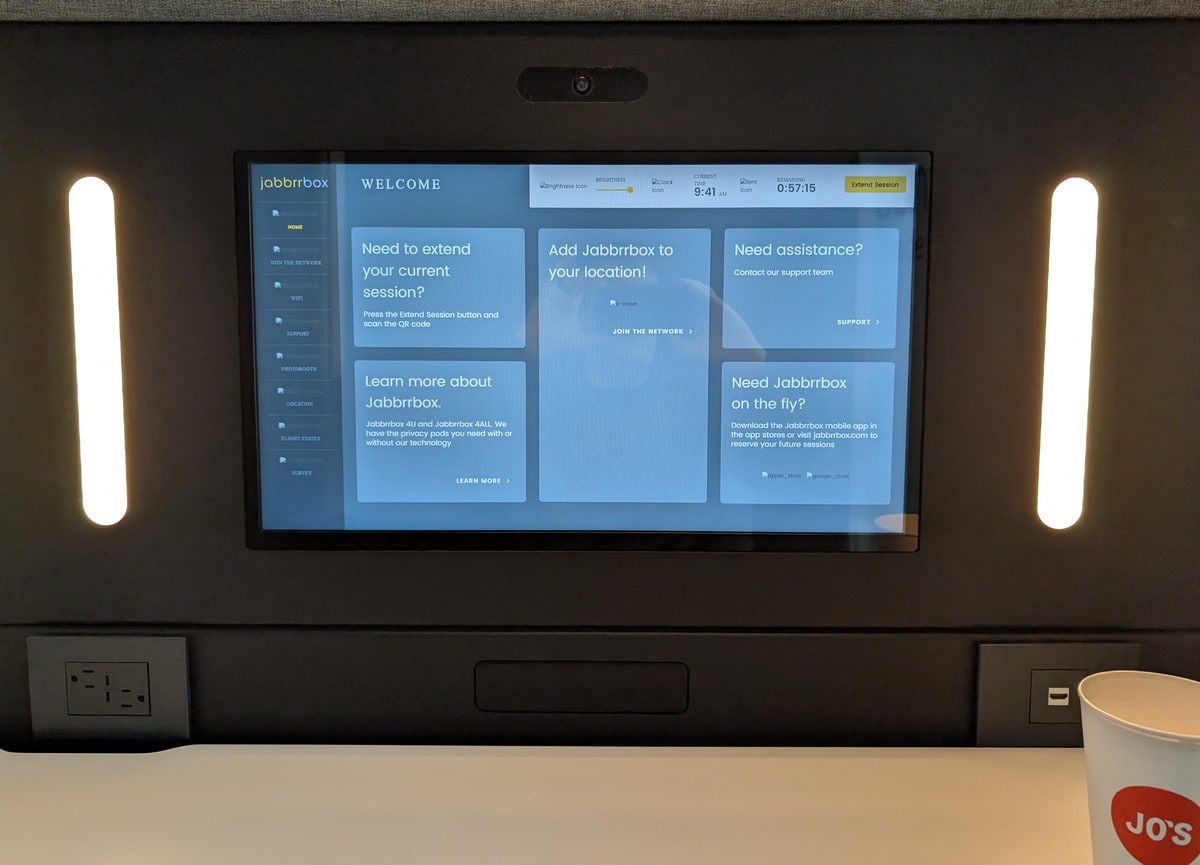
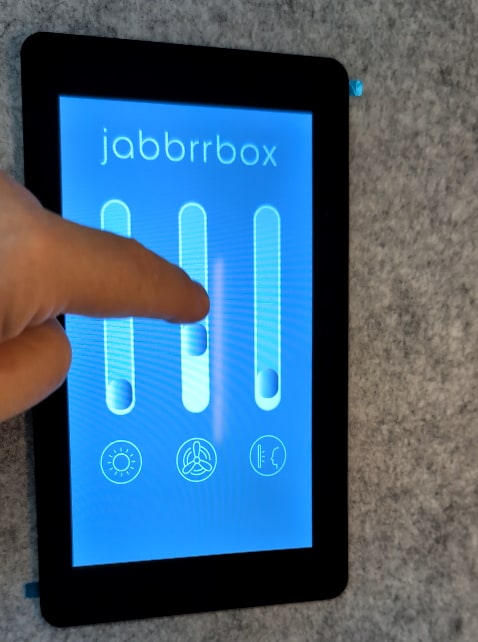
Below the monitor is an HDMI port (for video in) and power ports to use while in the pod. One other nice feature is an environment control pad on the left wall. This digital switch controls both the cooling fan and the two sets of lights. I used it to increase the fan a bit and lower the lights, especially the lights that were beside the monitor.
Seating and Work Areas
There is a comfortable single bench in the pod where two people or maybe an adult plus two small kids could fit. In front of the seat is a desk that spans the entire length of the pod; there is lots of room to work on a laptop, read, or write. Since the booth provides sound isolation, it would also be a great place to have a conference call; you could even plug into the HDMI and use your laptop for the meeting.
Food and Beverage
The pod obviously doesn't serve food, but you are able to bring food and drinks inside. While I was there, I enjoyed my coffee while I worked.
Internet, Noise, and Charging
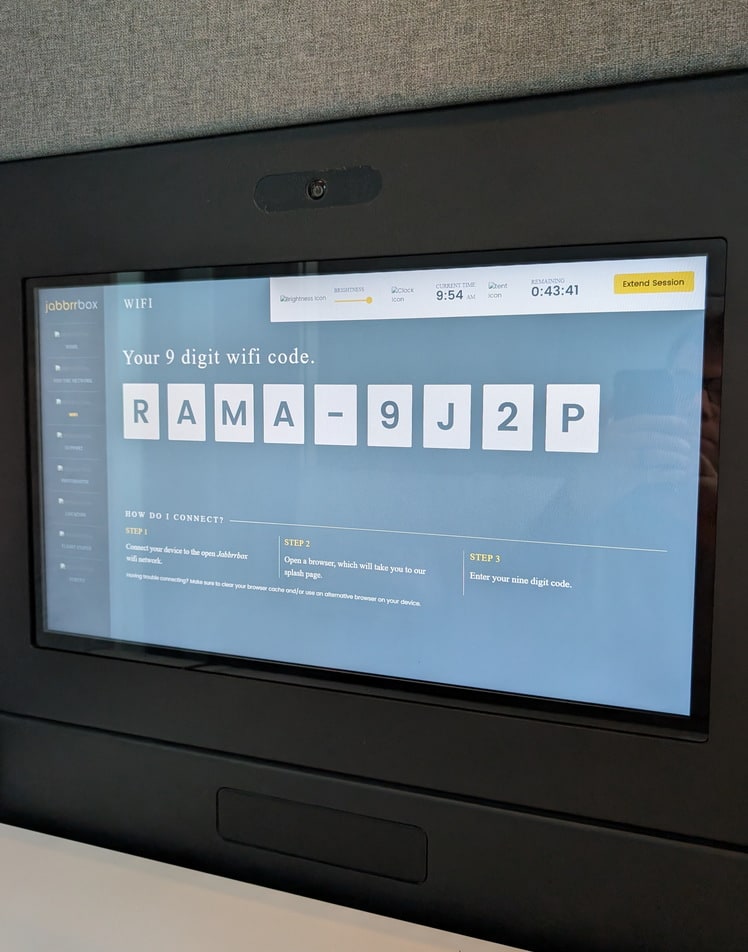
The Jabbrrbox includes complimentary high-speed internet while you are using the pod. To connect, select the WiFi option on the screen inside the pod; you will then see the wifi code. I did have a little trouble getting signed in since the on-screen code included a dash, but once I removed the dash and tried again, it worked.
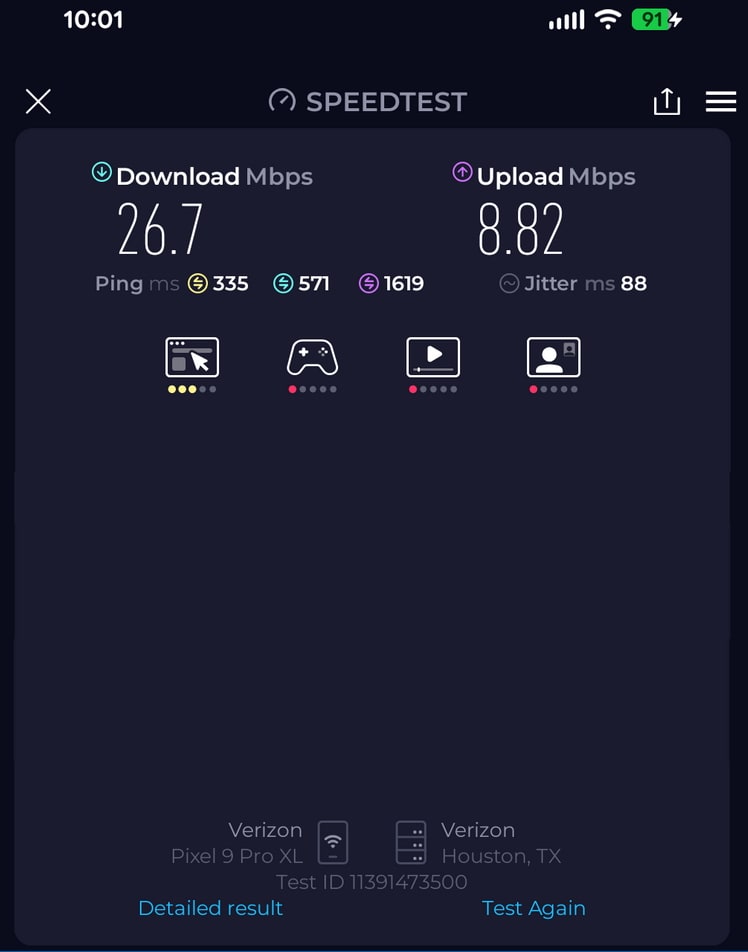
While I was in the lounge, the noise level was very quiet at 34.5 dB, classified as Quite Room. I did test the Wi-Fi and ran two speed tests. The internet speed was slow with very high ping times (330 ms); the best speed was 26.7 Mbps (down) and 8.8 Mbps (up) around 10 am. The pod includes two USB-C (30W) plugs and two A/C plugs conveniently located above the desk.
Overall Rating: 4.3*
Pros: Very quiet and super clean.
Cons: Minimum booking time is 60 minutes, not much room for luggage.
- Amenities: 4
- Comfort: 4.7
- Cleanliness & Service: 5
- Value: 3.5
- Wow-Factor: 3
* scored using Nerd Score (Non-Lounge) 1.0
Related
Closing Thoughts
I wish the Austin location offered a 30-minute booking option, whereas some of the other Jabbrrbox locations offer 30 minutes. This is my second time using a paid airport pod, and I really did find it comfortable and relaxing.